
Scan the receipt to put prices on things

Photograph a store receipt and the prices land on the matching kitchen or supplies rows, one review list, one save.

1 min readUpdated For: family

Home from the store and typing prices one item at a time is craziness. Scan the receipt (in the Add something card on Menu and Kitchen and on Supplies) reads a photo of the receipt, matches each printed line to the thing it most likely is, and shows a review list — the line as printed, its price and a picker preselected to the match, with check this on a low-confidence row and Skip on a line nothing matched. Save these prices writes the price of one package to each kept row, and Spent this month includes them.

What it looks like

Screens at phone width, with sample names — no real person’s information.
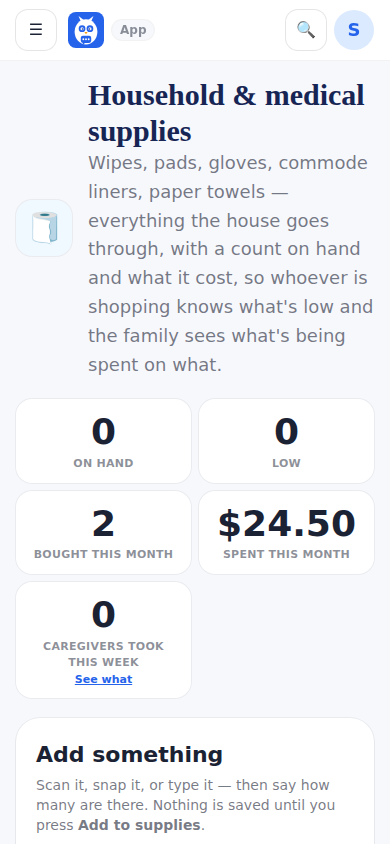
Supplies, whose Add something card carries Scan the receipt.
Was this helpful, or is something out of date? Write to support@expressagain.com and a real person will fix it.

Still need help?

A real person reads every message. Family members are always welcome to write on a patient’s behalf.

Email

support@expressagain.com

We typically reply within one to two business days.

Contact page

Text and in-app

Reply HELP to any of our texts for assistance, STOP to unsubscribe.

Signed in? Send a request from the Help Center inbox and see its status there.

Help Center inbox

If this is an emergency or someone is in immediate danger, call 911 or your local emergency number. This Help Center is for using the app, not for medical advice.