
For families looking for help at home
Companion care at home for a person who cannot always get the words out
Companion care at home is presence and conversation, and for a person who cannot always get the words out it has to be patient presence. Companions on ExpressAgain use the patient's own app together, offer choices, let silence be comfortable, and send a note back to the family circle after every visit.
What is already built
Senior Companionship Care
Conversation, games, music, walks and shared meals; practicing communication together, including tap-to-speak in ExpressAgain; a watchful eye between family visits; and notes back to the family circle after every visit.
Where it lives: Marketplace, Senior Companionship Care · Read how it works
Tap any phrase to speak it
One tap says a phrase out loud on the Communicate page, with no timer and no rush, so a companion can offer two choices and let the patient answer.
Where it lives: Communicate page · Read how it works
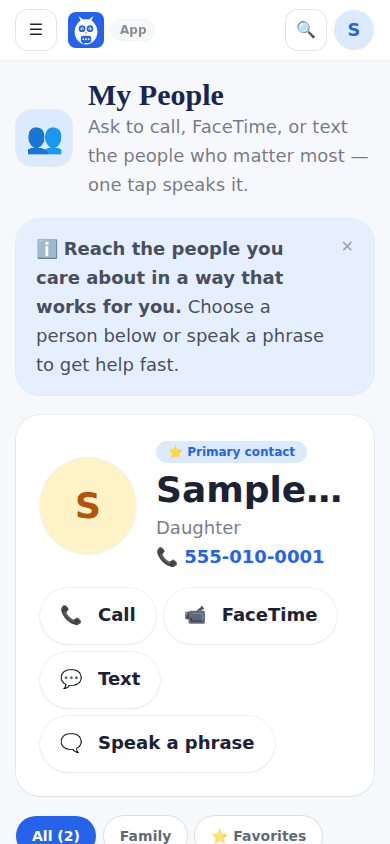
My People
Family, friends, church, school and work with a photo beside each name, real Call, FaceTime and Text buttons, and a Speak button, so the names and faces the patient loves are one tap away during a visit.
Where it lives: My People page · Read how it works
Companionship and household help, as a task
The request ticks Companionship and household help, company, meals, light housework and errands, a task that needs no state rule, so a companion matches without a credential unless you ask for one.
Where it lives: Marketplace, Post a Care Request · Read how it works
Today: companionship as a service and a task on the request, tap-to-speak during the visit, and the patient's people one tap away.
How it works
Post a care request on the Marketplace: your name, email and phone, the ZIP code where care happens, the type of care, what you will pay, the tasks, a credential if one is needed, when, and a few lines about the patient. Sending it creates your free ExpressAgain account so you can track it.
The professionals near you whose rate for your distance, tasks, credential and travel limit fit are matched the moment the request is saved and emailed at once; each answer comes straight to your inbox with the professional's message and contact details.
Choose the person: send the questionnaire from Find a team member, agree the rate, sign the agreement, and the professional joins My Home Team and works from the family's shared care plan, the day plan and the shift checklists.
Questions people ask
Is it free to start?
Yes. There is no charge to post a care request, and sending it creates your free ExpressAgain account so you can track it under Your care requests on Marketplace Home. Free is where everyone starts, the Pricing page shows the plans side by side, and no price is written on this page.
What happens after I post a request?
The request goes live on the Open Care Requests board with your name masked, and the professionals in your ZIP area who match are emailed at once; the thank-you shows who matched right now and names the account it created. Each answer arrives in your inbox with the professional's message and contact details, and Your care requests on Marketplace Home lists every request with how many answered.
Does a companion need a license?
Companionship and household help is a task that needs no state rule, so it matches without a credential; ask for one on the request if you want it, and a credential on file then shows with its state and expiry.
Can the companion log what happened?
Yes. On the care-team dashboard the companion clocks in, ticks the day's steps, logs what happened in Quick log and clocks out; every entry is saved under the companion's name and shows on the care team's feed.