ExpressAgain
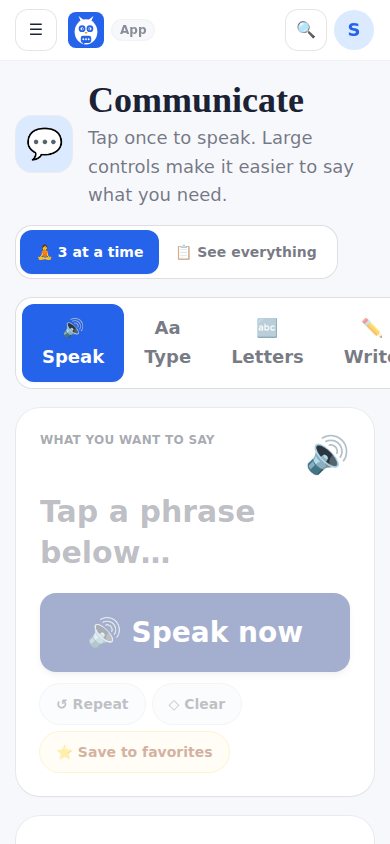
This is the heart of the app: tap a phrase and it is spoken out loud. The Communicate page is the workspace, with four tabs. Speak shows the current selection, Quick Speak tiles for the things needed most often, Build a message, Recent and saved, and Common right now. Type lets a family member type anything and have it spoken. Letters is an on-screen alphabet board: she spells a word or a sentence letter by letter, the board speaks it, and Share sends it in one go as a note from her to family and friends and to the IDC team. Write (handwriting) is marked coming soon. On a wide screen a right rail keeps the current selection, favorites, recently spoken phrases and the SOS button one tap away.
A 3 at a time switch shows a few choices at once instead of everything, for calmer days. There is no timer and no rush. The app waits as long as it takes.
What it looks like
Screens at phone width, with sample names — no real person’s information.