
For rehab, skilled nursing and assisted living
For rehab, skilled nursing and assisted living
For a rehab, skilled nursing or assisted living facility, ExpressAgain gives a resident who cannot speak a voice, keeps your visiting rule on a Room Schedule the family runs, and sends the family home holding your therapists' recommendations. Each of your therapists and nurses gets a login for that one family.
What is already built
A Room Schedule that keeps your facility's rule
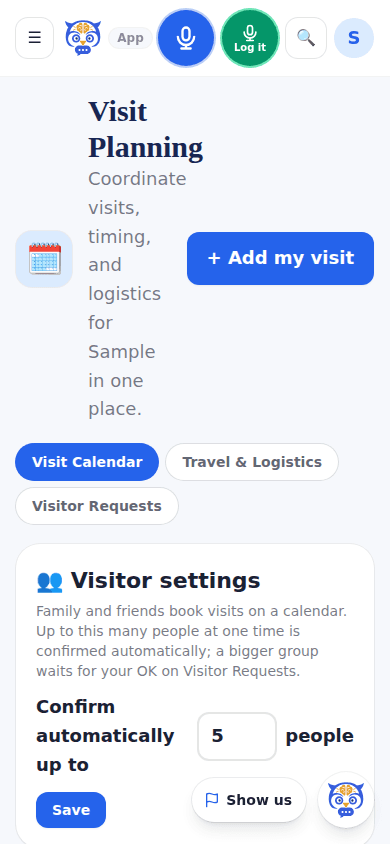
While the place is a hospital or rehab room, the Room Schedule shows the day in fixed blocks with the number of visitors your unit allows, and the family writes your visiting rules under Edit rules & times.
Where it lives: Visit Planning, Room Schedule · Read how it works
A login for each of your therapists and nurses
The family creates a code for each discipline; your therapist joins at the IDC Team sign-in with the code, a name, credentials and your facility's name, and lands on Since your last visit.
Where it lives: The IDC Team sign-in · Read how it works
Exercises that carry on at home
Speech, physical and occupational therapists have Assign exercise with presets such as bed-to-chair transfers and sit-to-stand; they appear on the patient's Practice page.
Where it lives: The care-team dashboard, Assign exercise · Read how it works
Coming Home, with your recommendations
Your therapists file each home recommendation under a category with the equipment and the room; they land on the family's Coming Home page, marked Done, In progress or Need help.
Where it lives: Coming Home page · Read how it works
Today: the Room Schedule, a login per therapist, exercises on Practice and your recommendations on Coming Home.
How it works
Book the 30-minute call; a real person walks through your unit, your therapists and a discharge, with your own residents as the example.
Your organization is set up with our team and starts in preview, with a few patients and a few people.
Your therapists join each family with a code and file their recommendations; the family takes them home on Coming Home.
Questions people ask
Is it free to start?
The family's account is free to start, and Communicate is never behind a paywall. Your organization is set up with our team, starting in preview with a few patients and a few people; the package is set in a call and no price is published on this page.
What happens after I book the call?
A 30-minute call with a real person, using your own patients as the example. Your organization then starts in preview: providers see the patients whose families added them, a few patients can be enrolled to see how it works, and the whole organization comes on when the agreement is signed.
Can our organization start the care plan for a patient?
Start the care plan. It creates the patient's account; the family claims and owns it; you keep your access. A home care or home health agency starts one once ExpressAgain has signed a Business Associate Agreement with the agency. Two ways in at Start a care plan: Refer a family, with no organization account, where a case manager, a doctor's office, a discharge team, a foundation, an insurer or EMS starts the care plan with what it knows, the family gets a private link, claims the account, owns it and is on the family's own plan (referring is free, there is never a referral fee, and the family keeps you on the Care Team at claim unless they turn it off; a case manager gets a referral account with no limit, and My referrals shows who claimed and signed in); or My organization sponsors patients, from your organization account, with Add a client and the client's care plan. There is one care plan per patient, whoever starts it, and nothing is entered twice.
Can an enrollment cover the family's access?
Yes. An enrollment can cover a patient's account through a sponsorship our team records, so that family is not asked to pay while it runs.