ExpressAgain
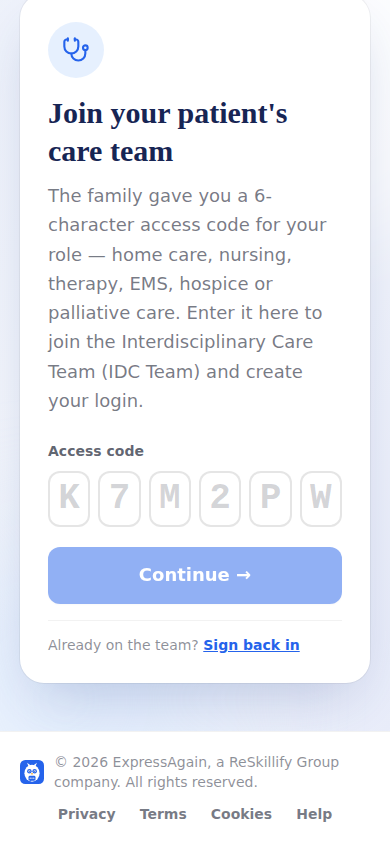
The IDC Team sign-in is where a speech, physical or occupational therapist, a nurse, an aide, a physician, a paramedic, a hospice or palliative clinician, or a home care agency's office joins a circle with the code the family generated. Two steps: the code is checked first; only then does the page ask who you are — your name, title and credentials, your facility or practice (an agency's office types its role and the agency's name), your email and a password of eight or more characters. Invite links with the code prefilled skip the typing.
The code is single-use and opens only the first door. After that, email and password sign you back in from any device, with show password on both fields and Forgot your password, which emails a reset link to a Choose a new password page. Too many wrong tries pause sign-in for a few minutes and the page says so. If you already have an ExpressAgain provider login with this email, the family's code attaches their circle to that login and your existing password is the one to enter.
Your access is scoped to your discipline's tools: never the family feed, never her device data.
Step by step
- 1Open the IDC Team sign-in and enter the code (or tap the family's link).
- 2Fill in your name, title and credentials, practice, email and a password.
- 3Tap Join. You land on the care-team dashboard.
- 4Next time, sign in with your email and password.
What it looks like
Screens at phone width, with sample names — no real person’s information.