ExpressAgain
Every clinical role that can join the circle has a code of its own: Speech therapist (SLP), Physical therapist (PT), Occupational therapist (OT), Home health aide / CNA / companion, Chiropractor, Nurse (RN / LPN — PRN, shifts or medications), Palliative care, Hospice, Community paramedic / EMS, Physician (MD / DO / NP / PA), and Home care agency (office / scheduler). Add to your home team or Give access on a card mints the code; send it by link, email, text or QR. A code works once, for this circle only.
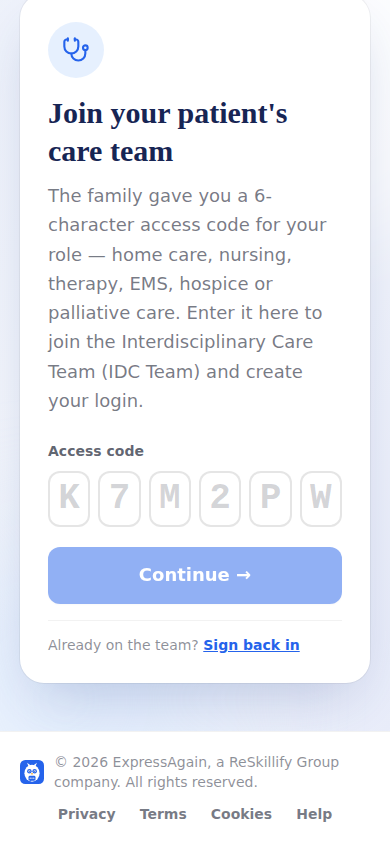
The person opens the IDC Team sign-in, enters the code, says who they are and chooses a password. After that they sign in with email and password from any device. Their discipline comes from the code and shapes their dashboard: therapists can assign exercises; every clinical login can read her day, log readings and see alerts; the agency office sees its team, open shifts and invoices, never the clinical record.
A doctor added this way sees the shared clinical window (her day, medications, tracking, notes) and can write notes. Until Sept 2026 a doctor could only be a tap-to-call card; now both exist, and a person is one or the other.
Step by step
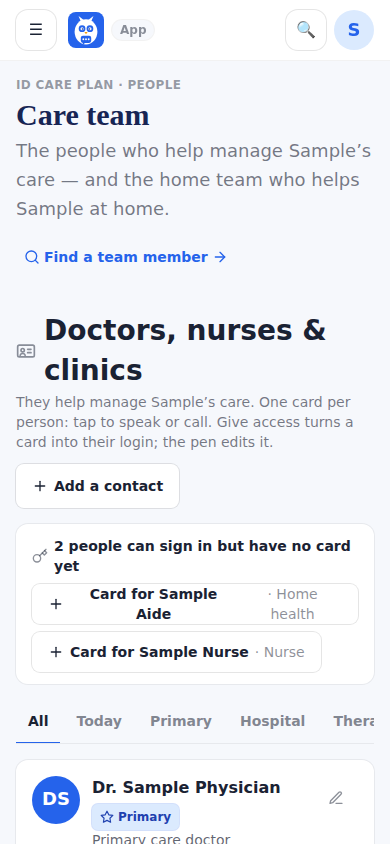
- 1On Care Team, tap Add to your home team (or Give access on a doctor's card).
- 2Pick the discipline and type the person's name and contact.
- 3Send the code or link by email, text or QR.
- 4They join at the IDC Team sign-in and appear under Home team or Who can sign in.
What it looks like
Screens at phone width, with sample names — no real person’s information.