ExpressAgain
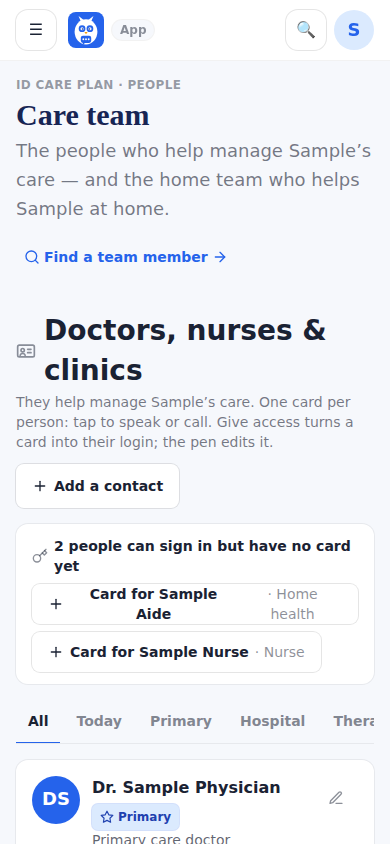
Section 1 is Doctors, nurses and clinics — one card per person with Call, See them, When and Message as icon actions, filter tabs, and Add a contact at the top. A contact card is a name, a role and a phone number; it has no login. Give access turns a card into that person's login (a code to join at the IDC Team sign-in); the pen edits the card. Care setting and the phrases she uses with the team stay here.
Section 2 is the Home team — the people who work in the house, one row each; tap a row to open that person's full profile. Add to your home team is the page's one primary button and opens the invite form. Invite codes fold behind one line. Pharmacies are not on this page; they live on Prescriptions.
When a doctor's practice follows her care through an organization, an Organizations following her care strip appears here with the practice, the primary provider, who has access and since when, and Manage lets the family end it any time.
What it looks like
Screens at phone width, with sample names — no real person’s information.