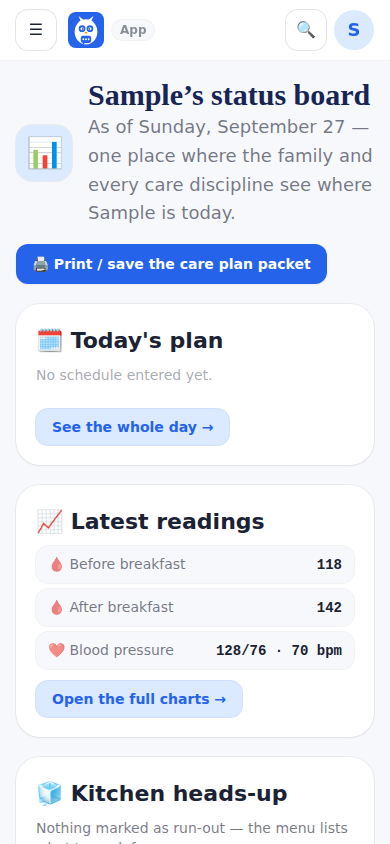
The Status Board answers the questions every arriving care person asks — what is the plan today, what were the numbers, what did the other disciplines say — so the family stops repeating the same briefing at every door. It shows today's plan, the latest readings (each tile carries the initials of who logged it and the time; tap for the name), a kitchen heads-up, the rest of the plan, what the care team sees when they log in, and what the team is saying.
It records and displays. The board shows what the family and the team wrote and never interprets it.
Next doctor appointment is one line on the board (and in the welcome card at the top of the care-team dashboard, for everyone but the agency office): the soonest appointment booked on Appointments, with the day and time, who it is with and where, and From (the patient's) Schedule with a link to all appointments. Only when nothing is booked, and the doctor's records are really connected, does it show the chart's next appointment instead. With nothing booked and no connected chart, the line does not show.
When a professional taps On my way before a shift, the top of the board shows Sam is on the way · about 20 minutes (sent 2:41 PM), or the new time after Running late, until they clock in. It never shows where they are.
What it looks like
Screens at phone width, with sample names — no real person’s information.