
For families looking for help at home
Overnight care at home, with the night written down by morning
Overnight care at home is its own block on a care request, Overnights, and its own block a professional ticks under Pay by distance, so the match is made on the hours that matter. On the shift the professional clocks in at the house, follows the night's steps and logs what happened, so the family reads the night over breakfast.
What is already built
Around-the-Clock Care, the nights
Night-time safety: bathroom trips, repositioning and reassurance, with 24/7 or overnight coverage built as a real shift schedule and start- and end-of-shift checklists with clean handoffs.
Where it lives: Marketplace, Around-the-Clock Care · Read how it works
Clock in and out only at the patient's home
The family sets the house and how close counts; both clocks ask the phone for its location at the tap and are refused away from the house, and This week shows where each clock happened. Checked at the tap only, never tracked in between.
Where it lives: Home Team management, the Clock-in location card · Read how it works
The app during a visit
Clock in, tick the start-of-shift list, follow the day step by step, log doses, readings and personal care (a shower, a wash-up, moving around and how the patient moved), tick the end-of-shift list, clock out. Every entry is saved under the professional's name.
Where it lives: The care-team dashboard, Today · Read how it works
The Schedule
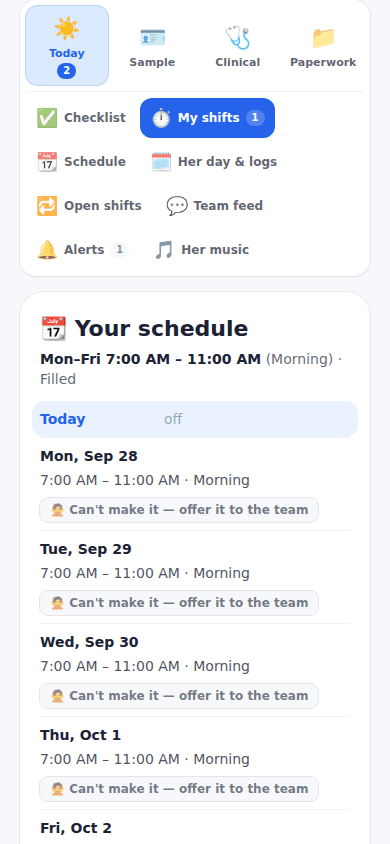
One calendar for care shifts, therapy, appointments and visits, with filters, and a booking link an agency uses without a login; Can't make it offers a shift to the rest of the team.
Where it lives: Schedule page · Read how it works
Today: an Overnights block on both sides of the match, a clock checked at the house, and every step and log of the night under the professional's name.
How it works
Post a care request on the Marketplace: your name, email and phone, the ZIP code where care happens, the type of care, what you will pay, the tasks, a credential if one is needed, when, and a few lines about the patient. Sending it creates your free ExpressAgain account so you can track it.
The professionals near you whose rate for your distance, tasks, credential and travel limit fit are matched the moment the request is saved and emailed at once; each answer comes straight to your inbox with the professional's message and contact details.
Choose the person: send the questionnaire from Find a team member, agree the rate, sign the agreement, and the professional joins My Home Team and works from the family's shared care plan, the day plan and the shift checklists.
Questions people ask
Is it free to start?
Yes. There is no charge to post a care request, and sending it creates your free ExpressAgain account so you can track it under Your care requests on Marketplace Home. Free is where everyone starts, the Pricing page shows the plans side by side, and no price is written on this page.
What happens after I post a request?
The request goes live on the Open Care Requests board with your name masked, and the professionals in your ZIP area who match are emailed at once; the thank-you shows who matched right now and names the account it created. Each answer arrives in your inbox with the professional's message and contact details, and Your care requests on Marketplace Home lists every request with how many answered.
How do I know the professional was there all night?
With Clock in and out only at the location on, both clocks are checked against the phone's location at the tap, within the radius the family set, and This week shows where each clock happened; the location is checked at the tap only, never tracked in between.
What gets logged overnight?
Each step of the night's blocks, ticked with the professional's name and the time; doses given, skipped or refused; readings from Quick log; and personal care such as a wash-up or moving around, where legs gave out or nearly fell alerts the care team at once.