ExpressAgain
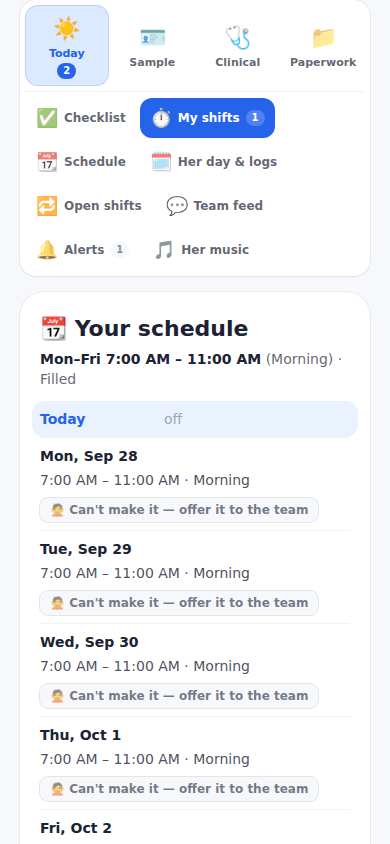
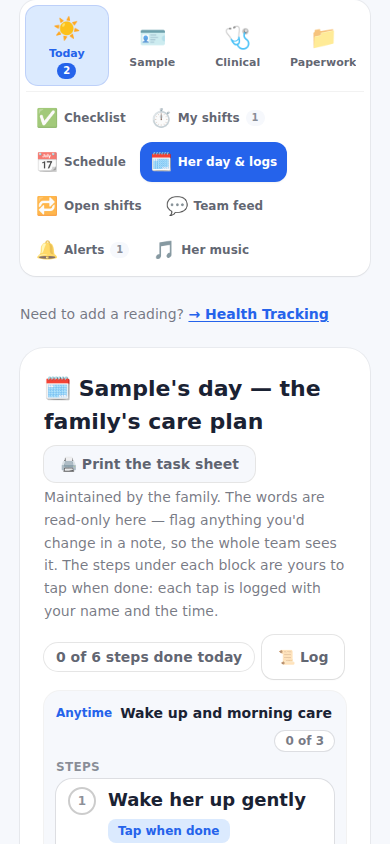
Today holds everything for a shift. Clock in from My shifts when you arrive (breaks are Start break and End break). Open Checklist and tick the start-of-shift items — a shift that gives medication pins that item first. Her day and logs shows each block of the day with its how-to video and its steps; tick each step as you do it and your name and the time are saved. Log a dose under Medications when you give it, or mark skipped or refused. Quick log on Health Tracking takes the numbers.
Before you leave, tick the end-of-shift items. If the family turned photo proof on, the flagged rows carry a camera button and need the photo before they count. Clock out: if a required item or log is missing, the sheet lists exactly what is left; Clock out anyway asks for a reason and the day is held for the family's review — hours worked are still owed. Can't make it on a future shift offers it to the rest of the team.
Step by step
- 1Today, My shifts: Clock in.
- 2Checklist: tick the start-of-shift items.
- 3Her day and logs: follow the blocks; tick each step.
- 4Medications and Health Tracking: log doses and readings.
- 5Checklist: tick the end-of-shift items (take the photos the family asked for).
- 6My shifts: Clock out.
What it looks like
Screens at phone width, with sample names — no real person’s information.