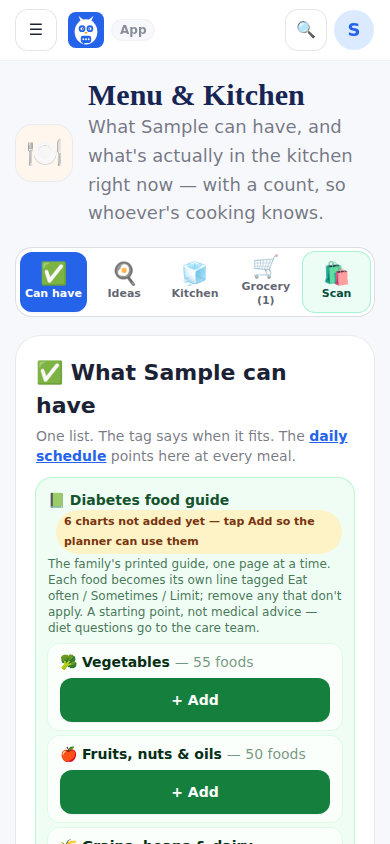
I'm typing a grocery list on my phone but I should be typing it on the Menu and Kitchen page. The Grocery list tab has a big add box, a Running low in the kitchen section that suggests every kitchen or supplies row that is low and not yet on the list (add one or add all), and the list itself.
In the store, scan a product (or type its name): the label lookup answers Can (name) have it against the can-have list, then In my cart or On the list. The top of the answer says whether it is already at home, from the kitchen and supplies inventory: At home: 2 in the pantry, At home: 1 in the fridge, use by Oct 8 (running low), At home: none left, or Not at home. It is matched by the barcode first, then by the name.
At home now, at the top of the In the store card, opens to show what has run out, what is running low and what is on the list, for a shopper who has not looked at the kitchen. In your cart counts what has been picked up; open it to see each item, and Take out undoes a mistaken In my cart (an item the scan added goes away; an item that was on the list goes back on it). Scanning something already in the cart does not add it twice: the card says it is already in your cart and offers Add one more. If the signal drops, the card says the save did not happen and keeps the item on screen to try again.
When you get home, Put it in the kitchen moves a line, or Put it all in the kitchen moves the whole cart, into the kitchen inventory with whatever the label knew and the quantity on the line, restocking a pack that is already there. Each line is moved once, even if two people press it at the same time, and the At home line shows the new count afterwards. Copy list and Share send one line per item to whoever is going to the store.
Professionals on the care team add to the list too. Running low or We're out on something already in the kitchen or supplies puts it on the list as a normal line marked Added by Jewel; the family checks it off or removes it like any other. Something the house does not have is a suggestion instead: a line at the top of the list says Jewel suggested 3 new items, and Review opens the Suggestions tab, grouped by day and by who asked, where Add to list puts each one on the list and No thanks lets the professional know (a reason is optional). The family hears of both in Notifications and on the phone, at most once every 30 minutes; never by email.
A professional's shopping notes go on Menu and Kitchen, not the IDC Team feed. A post on the feed that reads like one (out of, running low on, need more, buy, pick up) offers Put it on the shopping list before it is posted, and the family can move one already posted with Move to shopping list.
Step by step
- 1Open Menu and Kitchen and the Grocery list tab. The In the store card is first.
- 2Before you shop, tap At home now to see what is out, what is running low and what is on the list.
- 3Tap Scan it and point the camera at the barcode, or type the product's name and tap Find it. If the barcode is not found, type its name in the box that opens.
- 4Read the At home line and the answer, then tap In my cart or On the list. The scanner opens again for the next item.
- 5Tap In your cart to see everything picked up so far; tap Take out on anything put in by mistake.
- 6At home, tap Put it all in the kitchen under In the cart on the list.
What it looks like
Screens at phone width, with sample names — no real person’s information.