
ExpressAgain

Saved and recent phrases

Every phrase used recently, grouped by day, plus saved messages and pinned shortcuts — tap a row to say it again.

1 min readUpdated For: patient, family

Saved / Recent shows what was spoken today, yesterday and earlier, with the time, and keeps the messages you saved and the shortcuts you pinned. Tap any row to speak it again. The recent list and Most used are kept on the device itself — nothing is invented.

Save a thought for later lives on the Communicate page: a message typed now waits on this page until your loved one wants it.

Next to Save to favorites, Communicate has a second button named after the patient, for example Save to Debbie's words. It adds the message to the patient's own words, the group that comes first in the Phrase Library and on Communicate. Messages that were already saved as favorites are copied into that group once, under the group Saved messages; they also stay right here, exactly as they were. A saved message longer than 140 characters stays a favorite only.

What it looks like

Screens at phone width, with sample names — no real person’s information.
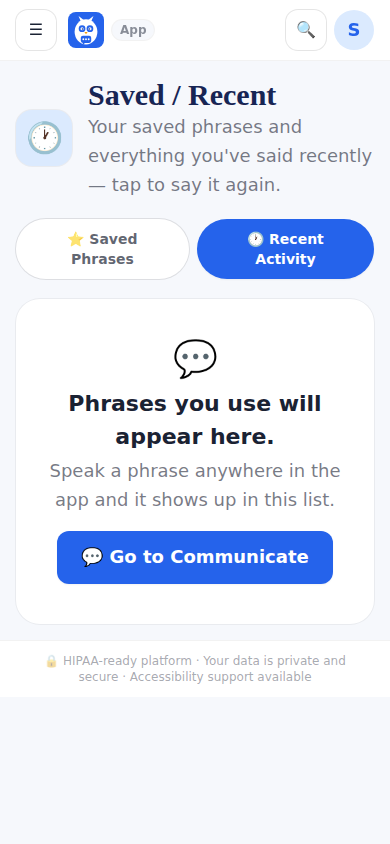
Saved / Recent: what was spoken, grouped by day, plus saved messages and pinned shortcuts.
Was this helpful, or is something out of date? Write to support@expressagain.com and a real person will fix it.

Still need help?

A real person reads every message. Family members are always welcome to write on a patient’s behalf.

Email

support@expressagain.com

We typically reply within one to two business days.

Contact page

Text and in-app

Reply HELP to any of our texts for assistance, STOP to unsubscribe.

Signed in? Send a request from the Help Center inbox and see its status there.

Help Center inbox

If this is an emergency or someone is in immediate danger, call 911 or your local emergency number. This Help Center is for using the app, not for medical advice.