
Choosing a voice

A warm built-in voice works right away; natural voices and the cloned voice need a signed-in account; speed, pitch and volume are adjustable.

1 min readUpdated For: patient, family

Everything about how the app sounds lives in Settings under Voice and Accessibility. The app can speak in the browser's built-in voice immediately. Natural voices come from a voice service and need a real signed-in account (quick-code access gets the built-in voice only). Test my voice plays a line so you can hear the choice.

Adjust speaking speed, pitch and volume until it sounds right. Slower is often clearer. The Voice ready chip on the top bar shows when a personal voice is set up.

What it looks like

Screens at phone width, with sample names — no real person’s information.
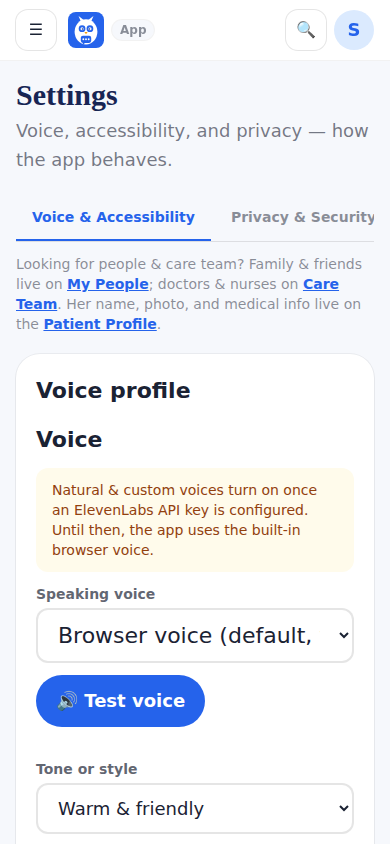
Settings: Voice and Accessibility, and Privacy and Security.
Was this helpful, or is something out of date? Write to support@expressagain.com and a real person will fix it.

Still need help?

A real person reads every message. Family members are always welcome to write on a patient’s behalf.

Email

support@expressagain.com

We typically reply within one to two business days.

Contact page

Text and in-app

Reply HELP to any of our texts for assistance, STOP to unsubscribe.

Signed in? Send a request from the Help Center inbox and see its status there.

Help Center inbox

If this is an emergency or someone is in immediate danger, call 911 or your local emergency number. This Help Center is for using the app, not for medical advice.