
Log readings and the shared Health Tracking

Quick log on top, then the very same chart the family has; every entry carries your first name and role.

1 min readUpdated For: clinician, professional

The Health Tracking tab is the whole Health Tracking the family has — glucose grid, vitals, pee and bowel logs, weight, sleep, symptoms and events, meals, with Copy, Print and Analyze — with a Quick log on top for the numbers you take at the bedside. Targets and when to call are set by the family and read-only here; Remove shows only on your own entries.

Every reading you log is stamped with your first name and role, for example Maria (Home health), and shows on the family's Status Board, the glucose grid, the team feed and in the alerts the rest of the team receives.

What it looks like

Screens at phone width, with sample names — no real person’s information.
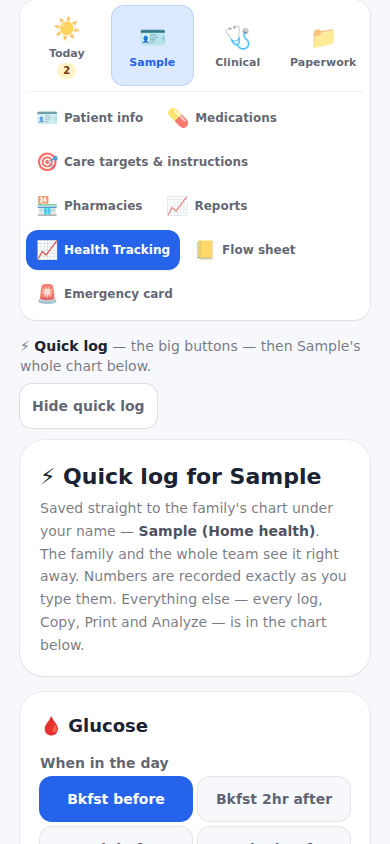
Health Tracking on the care-team dashboard, with Quick log on top.
Was this helpful, or is something out of date? Write to support@expressagain.com and a real person will fix it.

Still need help?

A real person reads every message. Family members are always welcome to write on a patient’s behalf.

Email

support@expressagain.com

We typically reply within one to two business days.

Contact page

Text and in-app

Reply HELP to any of our texts for assistance, STOP to unsubscribe.

Signed in? Send a request from the Help Center inbox and see its status there.

Help Center inbox

If this is an emergency or someone is in immediate danger, call 911 or your local emergency number. This Help Center is for using the app, not for medical advice.