
Ending a working relationship

A plain notice letter with the last day, released shifts, the final invoice and what to bring back; codes are revoked and access ends.

1 min readUpdated For: family

How do I create a process to let someone go? From the Care Team page, a person's Manage menu opens the offboarding sheet. You choose the last day and the app drafts a respectful, factual notice: shifts after the last day are released, the final invoice for hours through the last day should be sent in the app, what to bring back (keys, codes, badges), and a thank-you. It quotes the notice terms of the signed agreement when there is one. Your private reason is never part of the letter.

The professional sees a Your last day is banner on their dashboard with the notice behind Read the notice. House codes are revoked, the login's access ends on the last day, and the person moves to Former on My Home Team. An emergency removal ends access at once.

What it looks like

Screens at phone width, with sample names — no real person’s information.
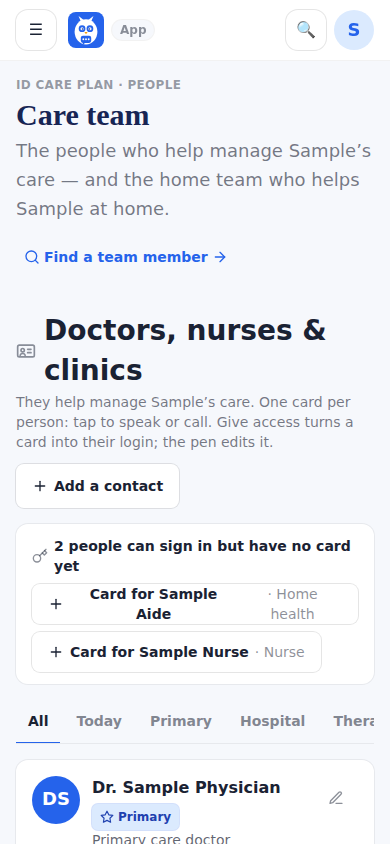
The Care Team page, where a person's Manage menu opens the offboarding sheet.
Was this helpful, or is something out of date? Write to support@expressagain.com and a real person will fix it.

Still need help?

A real person reads every message. Family members are always welcome to write on a patient’s behalf.

Email

support@expressagain.com

We typically reply within one to two business days.

Contact page

Text and in-app

Reply HELP to any of our texts for assistance, STOP to unsubscribe.

Signed in? Send a request from the Help Center inbox and see its status there.

Help Center inbox

If this is an emergency or someone is in immediate danger, call 911 or your local emergency number. This Help Center is for using the app, not for medical advice.