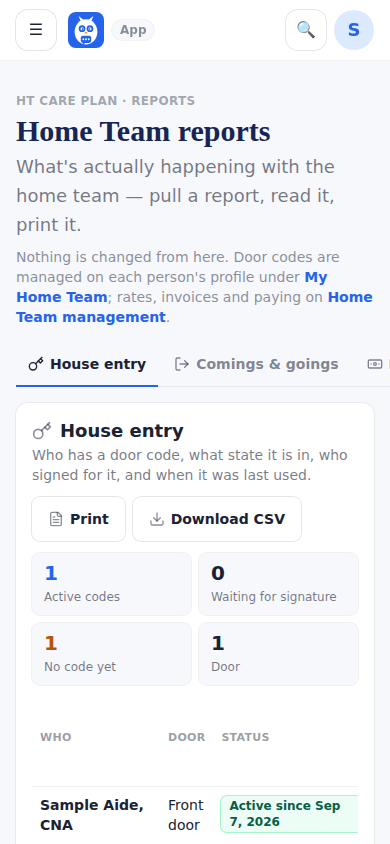
Home Care Team reports replaced Access and Pay: a report of everything that is happening with the home team. The reports sit behind a row of tabs (tiles with a one-line count on a wide screen; on a phone the short names House entry, Comings & goings, Paid, Invoices sent, Sign-ins, Own word and Calls for help) — House entry (who has a code, masked), Comings & goings (clock-ins, clock-outs and lock unlocks, the last 7 to 30 days), Who's been paid, Invoices sent, Care team sign-ins (the care team's logins only; the family's sign-ins are on My People, under Family & friends sign-ins), The patient's own word and Calls for help — and only the one you tap shows, each with a range, Print and Download CSV. The open report is in the address (…/home-team/reports?tab=signins), so Back returns to the report before and a link can open one directly. Nothing is managed here: codes live on the person's profile, money on HCT Management, and each report links there. One person's own sign-ins are also on their profile, under Manage.
The old Access and Pay address still opens this same page, so links in older emails keep working.
Step by step
- 1Open the menu, then HCT Management, then Reports.
- 2Tap a report's tab, for example Sign-ins or Paid; only that report shows.
- 3Pick the range, then Print or Download CSV.
- 4Use the browser's Back button to return to the report before, or the report's link to the page where things are changed.
What it looks like
Screens at phone width, with sample names — no real person’s information.