ExpressAgain
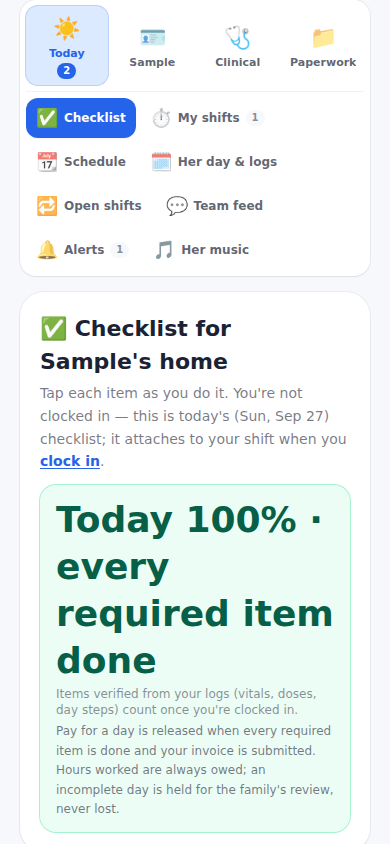
Founder: they need to make sure there are no dishes in the sink when they leave, the countertops are wiped off. Shift checklists has a Start of shift and an End of shift list the family writes and reorders. The professional ticks them on their Checklist tab; the family's line reads Start 5 of 5, End 4 of 7 with the missed items, and This week's shift rows carry the same chip.
Photo proof before clock-out is a switch. On, the items you flag need a photo from the camera before they count, and the person cannot clock out until the flagged photos are in; today's list shows a thumbnail per item. Off, nothing needs a photo.
A shift can be marked This shift gives medication. Assigning it to someone not yet confirmed for medications warns you (Assign anyway records who overrode it), a person you marked not allowed to give medication is a hard stop, and the professional's checklist pins the medication item first.
What it looks like
Screens at phone width, with sample names — no real person’s information.