ExpressAgain
Her targets and when to call is where the family types the care team's own ranges (glucose tiers, blood pressure, vitals, weight) and the when-to-call instructions. They print beside every log and are read-only on the clinicians' side (Targets are set by the family).
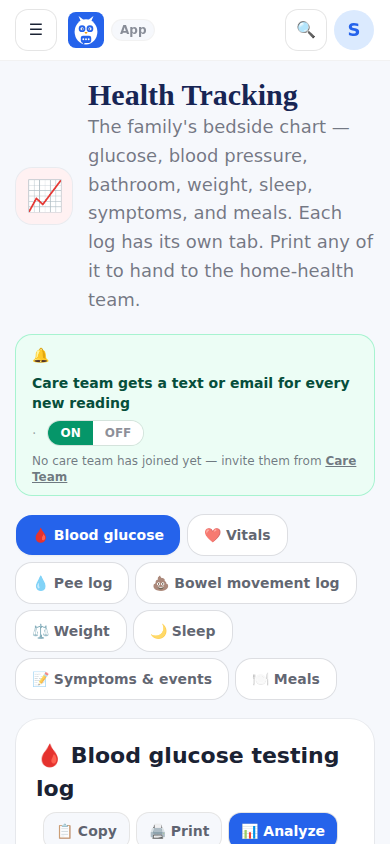
Care alerts: every glucose, vitals or symptom entry becomes one plain line — Glucose, breakfast before, 312, above target — and goes to every active clinical login on the circle. If the team was reached in the last ten minutes the lines wait and go out together (a bedside session that logs five things is one message, not five); a line outside the targets goes out at once. The email carries the lines; the text says only that a new alert needs a look, with no values. Each clinician chooses instant, a daily digest, or off. The family's On/Off switch on Health Tracking controls the whole thing, and the page says how many clinicians will receive it.
A login whose access was removed is never a recipient again, and the agency office never receives clinical alerts.
What it looks like
Screens at phone width, with sample names — no real person’s information.