ExpressAgain
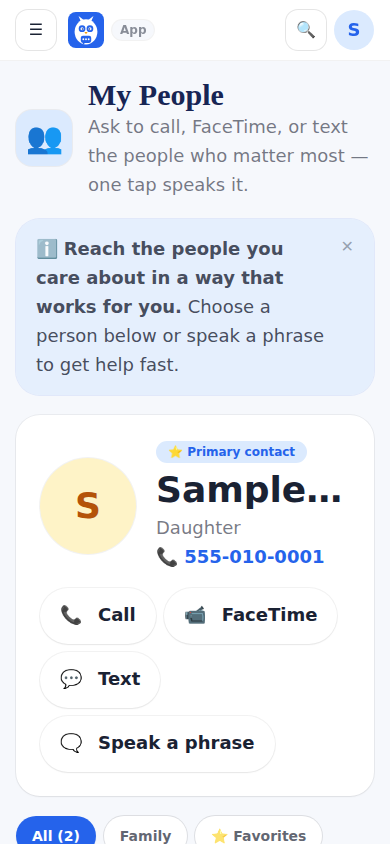
From My People, open Invite family and friends. Each invitation is personal: a link that works exactly once, tied to a role. Caregiver — full access; Family — Love Bucket, photos, updates; Extended — Love Bucket only. Copy the link, text it or email it. The owner and caregiver-role accounts can invite; only the owner can hand out the caregiver role.
The person opens the link, creates their own account (or accepts with one they already have) and lands on the right page for their role. If the invitation carried their cell number, they can switch on Circle Updates texts there; texting is always their own choice.
For the wider circle — church, school, work — the friend invite button in the family's menu shares a link to the open circle code page: they type the six-character code, say who they are, and join as a friend.
Step by step
- 1Open My People and tap Invite family and friends.
- 2Choose the role and type their name (and cell, if you want them to get texts).
- 3Copy, text or email the personal link.
- 4They create their account from the link and appear in the circle.
What it looks like
Screens at phone width, with sample names — no real person’s information.