
Feed and alerts, acknowledging, and escalation

One stream of alerts, team posts and activity across your scope; acknowledge flagged alerts; set an escalation window per practice.

1 min readUpdated For: organization, clinician

Feed and alerts is one stream across your scope — the alert lines, the team-feed posts and the activity of every patient you may see, newest first — filtered by patient, by type, or unacknowledged only. Acknowledge records it on the organization's side; the family's alert settings are never touched. Open patient switches to that circle's dashboard.

Escalation is a Settings field per practice: a window in minutes. When a flagged alert waits longer than that without an acknowledgment, the primary and covering providers are emailed. Leave the field empty to turn it off.

What it looks like

Screens at phone width, with sample names — no real person’s information.
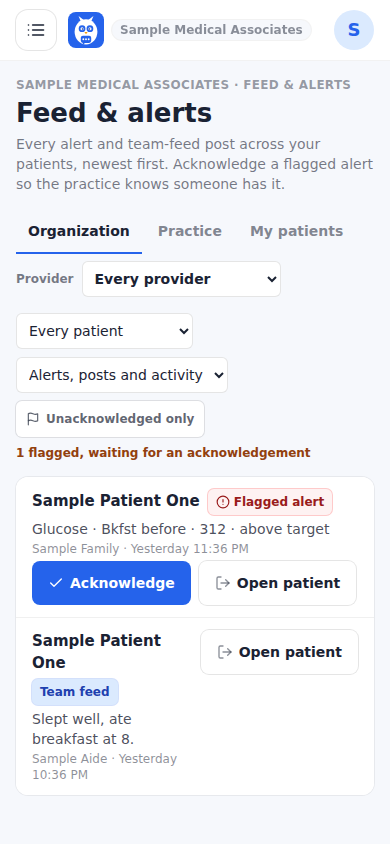
Feed and alerts across the practice, with Acknowledge.
Was this helpful, or is something out of date? Write to support@expressagain.com and a real person will fix it.

Still need help?

A real person reads every message. Family members are always welcome to write on a patient’s behalf.

Email

support@expressagain.com

We typically reply within one to two business days.

Contact page

Text and in-app

Reply HELP to any of our texts for assistance, STOP to unsubscribe.

Signed in? Send a request from the Help Center inbox and see its status there.

Help Center inbox

If this is an emergency or someone is in immediate danger, call 911 or your local emergency number. This Help Center is for using the app, not for medical advice.