 ExpressAgain
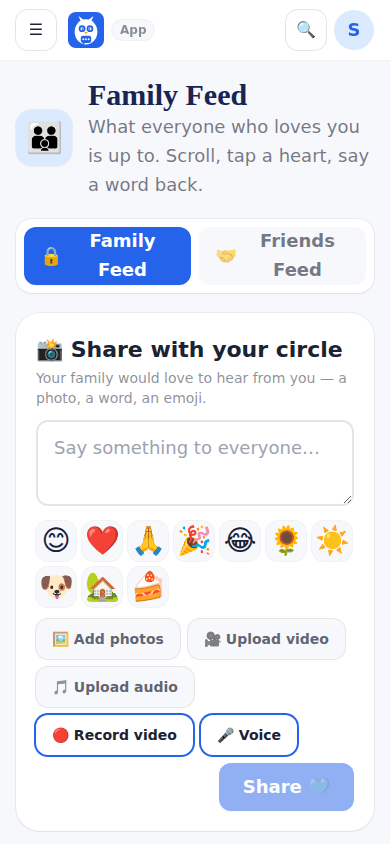
The Family and Friends Feed is where the circle posts photos, audio clips and short videos, reacts and comments. The patient sees it all on her own device with big reactions, read-aloud and one-tap quick word-backs that speak out loud and post back as comments. Family members see the same feed in member mode.
There are two feeds. The inner ring (owner, caregiver role, family) sees both and switches between them; a post can be marked for immediate family only, and the server keeps it out of the friends feed. Friends (the extended ring) only ever see the friends feed. A new member who has not found the feed yet gets a gentle pointer until they open it once.
What it looks like
Screens at phone width, with sample names — no real person’s information.
Was this helpful, or is something out of date? Write to support@expressagain.com and a real person will fix it.