Who you are comes first. An independent professional signs up with their own role, such as Certified nursing assistant (CNA) or Companion caregiver. An agency or facility signs up as the company, with a company role such as Home care agency or Facility or residence, and ticks the services it offers; a company never signs up as an aide, and a person never as an agency. The form offers only the roles that fit the choice, and a crossed choice is refused with a plain line.
An agency or facility gives two names. The first field on its form is Company name, the name families see on its card and its public profile, in full (a business name is not private). Then Your first name and Your last name: the person families and ExpressAgain contact, shown on the profile as Contact with a first name and an initial, like every person on the Marketplace. Without a company name the form does not go through. An agency that joined before this was asked shows the contact's first name and initial until it adds the company name on its Agency Home: the checklist's Agency information step lists your company name as still missing, and the Company name field sits first under Edit listing on Agency listing. An agency's signed-in home is the Agency Home, its own workspace with its own menu (Your Agency Home: getting listed and finding clients); everything below about Provider Home is a person's.
They are not a care team yet. They are looking to become part of a care team. Create your provider profile, at expressagain.com/marketplace/join, is its own page: every Create your profile button on the site opens it, and the same form sits at the bottom of the Marketplace's work side as a call to action, with Open the full page over it. It creates a live profile and a real login in one step. The form asks who is joining: An independent professional, or An agency or facility. Then your first and last name, email and password, phone, the city you live in (or the city of your office) and your ZIP code, how far you will travel for an independent professional (up to 30, 60 or 100 miles from your ZIP), or the locations you serve for an agency or facility (a city and its state, up to ten), your role or specialty, an optional hourly rate, the services you offer and a few lines about your experience. An agency or facility signs in as the office login. The services you tick decide which care requests reach you: there is no leave-them-all-unchecked default any more, a profile matches a request only for a service it ticked, and an agency with none ticked matches nothing. Once the profile is live the header shows your home (Provider Home, or Agency Home for an agency) and Sign out in place of Log In and Create Account.
Who referred you? An independent professional's form ends with one optional question: who sent you here. Pick A home care agency on ExpressAgain and choose the agency from the list (or Not listed, I'll type it), or a family you work with, a clinician or case manager, a friend or colleague, a search, social media, or other, and type their name where it fits. If an agency sent you its link, the agency is already picked and a line reads Referred by that agency; change it if that is not right. The agency then sees that you signed up, as your first name and initial, your role and your ZIP area, never your phone or email. The question never stops the signup, and referring is free and never paid for in either direction.
Your public profile and your card in search show a first name and an initial, the badge Independent professional or Agency, your role with the credential letters on your login and your current credentials on file, your city, state and ZIP code (never an address), how far you travel or the locations you serve, what you chose to share about yourself, and only the trust lines that are true for you — never a phone or an email. Contact starts when a family sends you a targeted request and you answer it.
How your profile reads. The head holds your photo or logo, your video, your name, your badge, your city, state and ZIP, your stars (five empty ones and No reviews yet until a family reviews you), Background checked when a check is on file, Families cared for with the real count, your rate with your years of experience beside it, your role line and the family's Request care button; nothing about ExpressAgain sits on it. Under the gray line, ten tabs, each showing only its own section: About, Services, Credentials, Rates, Availability, Education, Languages, Vaccinations, Safety and Reviews. A tab you have not filled in reads Not listed and asks the family to put the question in their request, so every tab you fill is one question fewer. Your About, quote, specialties, education, languages and work history come from My profile on the care-team dashboard; your rate, services, blurbs, vaccinations and availability from Provider Home; your credentials from Credentials on file.
What families match on (Nov 4). After Services you offer, the form holds the matching fields, each group a short block that folds with its count (Tasks your team does (7 chosen)): your hourly rate as Low and High (both optional; the high end is at least the low end), the care plans you offer (hourly, 24/7 live-in, short-term, long-term), the tasks you do by group (personal care, daily support and safety, medication, nursing and clinical care, condition-specific care, around the house, transportation), for an agency the people you staff (CNA, HHA, personal care aide, companion or homemaker, LPN, RN, nurse practitioner, physician or medical director, physical, occupational and speech therapists, social worker, chaplain, grief counselor, volunteer, hospice nurse), the most assistance you take on (one choice from 100% to 0%, with the care plan's transfer level in plain words under it), the payment you accept (private pay, long-term care insurance, Medicare, Medicare Advantage, Medicaid including state waivers, VA, workers' compensation, other) and the conditions you have experience with as tick boxes; the free-text line is now Anything else families should know. Medication administration is a licensed nurse's work: the box is greyed with the reason until an LPN, RN, NP or hospice nurse is ticked under The people you staff (an independent professional needs a role of LPN / LVN, RN or NP), and the server refuses it otherwise. Every answer shows on your public profile under Who we help and how, and families filter Find home care providers by each one. Phone is required for both kinds, a real US number families can call; a profile from before this was asked is listed on Finish your profile as Add your phone number, Add the people you staff, Say how much help your team takes on and Add the payment you accept. The whole list: Who we help and how: the matching fields.
Vaccinations. Under Edit profile on Provider Home, the Vaccinations field takes one short line in your own words, up to 300 characters, for example a flu shot this season or a TB test and its month. It shows under the Vaccinations tab on your public profile exactly as you typed it, with a note that it is in your words and the family can ask for the record; leave it empty and the tab reads Not listed. Nothing is checked or inferred.
Your photo or your logo. On Provider Home, under My profile, tap Add photo (Add logo for an agency), pick a picture and it is on your public profile and your card at once; Change and Remove are there too. Without one, your card shows the first letter of your name on a plain disc. A card with a photo or a logo reads like a real person or a real company; an empty one looks made up, so families pass it by.
Each service you tick has a line under it on your public profile and your card saying what it includes. Ours shows until you type your own under that service on Provider Home's Edit profile; families tick the services they want and send one request with them.
Your introduction video. On Provider Home, the card Your introduction video sits under My profile. Tap Add a video and pick a clip from your phone or computer: an MP4, WebM or QuickTime (.mov) file up to 100 MB, one per profile. Thirty to ninety seconds is plenty; say who you are, what you do and how you work, and an agency can introduce the office. A line shows the upload's progress, and when it is done the video plays right there on the card, with Replace and Remove beside it. It shows on your public profile under Meet, at the top of the story above About, and your card in search wears a small Video tag; it plays only when a family presses play, never on its own. The video is optional: it is never listed under Finish your profile.
What families count on your card. Under your city, one line says what you have done on ExpressAgain: Worked with 3 families on ExpressAgain · 5 requests answered. The families are the family teams you hold a live seat on, counted from the app; the requests are the open care requests you answered on the board. Until there is either, the line reads New on ExpressAgain. Nothing is estimated, and no family is ever named.
Finish your profile. When a spot on your public card is still empty, Provider Home opens with a Finish your profile card listing each one in plain words, for example your photo, your city, how far you travel, a copy of your license or certificate, the services you offer, a line about you, your years of experience, your availability, each with the button that fixes it: Add photo, Edit profile, Pay by distance, Add a credential, About you or Availability. The list goes away when every spot is filled. Edit profile holds the same choices as the signup form: who you are, your role, your city and ZIP, how far you travel or the locations you serve, your rate, your services and the lines about you.
About you, in more detail. The card on Provider Home holds your years of experience and three Additional details switches: Non-smoker, Has reliable transportation, Comfortable with pets. Only the ticked ones show on your public profile; a CPR card shows there from your credentials on file, so there is no switch for it. The same switches sit under About me on the care-team dashboard's My profile, with your headline, About me, education and experience. Your profile's head shows your rate with your years of experience beside it: the starting rate is the lower of the hourly rate you typed and your rate under 30 miles; the Rates tab lists the hourly rate, the starting rate and Pay by distance.
Availability. The Availability card on Provider Home asks for the hours you want (Full-time, Part-time, or either), the hours you can work on each weekday (tick a day, set a start and an end), and the days you are not available this month and next, tapped on a calendar, up to 90. Save, and the public profile's Availability tab shows them as a weekly grid (Monday to Sunday across, Morning, Afternoon, Evening and Overnight down, a filled cell where your hours or a schedule block you ticked under Pay by distance cover it), the blocks, the hours and the day you last changed it. Until you set something, the tab reads Availability not listed.
Reviews. A family that worked with you through ExpressAgain (your login on their team, or your answer to a care request they posted) can leave one review of you on your public profile, with stars and a few words, shown with their first name and an initial and the month. Your profile shows the average and the count once there is one, and No reviews yet until then; a card shows a rating only when there are reviews. Nothing is invented. If a review is unfair, use Report this profile on your own page or write to the ExpressAgain team; a review can be hidden with a reason.
Provider Home is where the login lives until a family attaches you: your profile and whether you are available, requests families sent straight to you, open requests near you, and the jobs you responded to. When a family attaches you with a code, the care-team dashboard opens too — same email, same password, one identity. Your platform login and Marketplace profile stay your own: a family's code adds that family's team beside them, and a family ending your seat on its team never ends your profile.
Featured placement. A paid placement that puts your profile first in search on Find home care providers and on Matched professionals, ahead of everyone else in your area, with a small Featured tag on your card and under the badge on your public profile; families are told the tag means the placement is paid for, and everything else on your card stays exactly as you filled it in. Available upon request: on Provider Home, under Your Marketplace status, the Featured placement card has one button, Ask about featured placement. Tapping it sends your ask to ExpressAgain, the card then reads You asked on that date and We will be in touch, and ExpressAgain contacts you to set it up. While it runs, the card says Your profile is featured until the date it ends.
Agency jobs. The Open care requests board also carries Agency openings: the jobs the home care agencies on ExpressAgain are hiring for, each with the agency's name, the city and state and the type. Open one and, signed in, tap Apply with my ExpressAgain profile: your name, email, phone and credentials fill in from your profile, you add the rest (the best time to reach you, your availability, a resume if you have one) and send. The agency reads it on its own Hiring page, and when it hires you it sends your invitation to join its team through ExpressAgain, so the same login carries on.
Step by step
- 1Open Create your provider profile (expressagain.com/marketplace/join, or any Create your profile button on the site) and pick An independent professional or An agency or facility.
- 2An agency or facility types its Company name first, then the contact person's first and last name; an independent professional types their own first and last name.
- 3Enter your email, a password, your phone, your city and ZIP, then how far you will travel (or the locations you serve), your role and your services.
- 4Open each group under What families match on (the rate as Low and High, care plans, tasks, the people you staff, the most assistance you take on, payment, conditions), tick what is true, add anything else families should know, and tap Create My Provider Profile (Create My Agency Profile for an agency).
- 5On Provider Home, under My profile, tap Add photo (or Add logo) and pick a picture.
- 6Read Finish your profile, if it shows, and tap the button on each row until the card goes away.
- 7Tap Edit profile any time to change who you are, your company name (an agency or facility), your city, how far you go or the locations you serve.
- 8Under About you, in more detail, tap Add these: type your years of experience and tick the details that are true, then Save.
- 9Under Availability, tap Set availability: choose full-time or part-time, tick the days you work with their hours, tap the days you are off on the calendar, then Save.
- 10Tap Edit profile, type one line under Vaccinations (optional) and Save; it shows under the Vaccinations tab on your public profile.
What it looks like
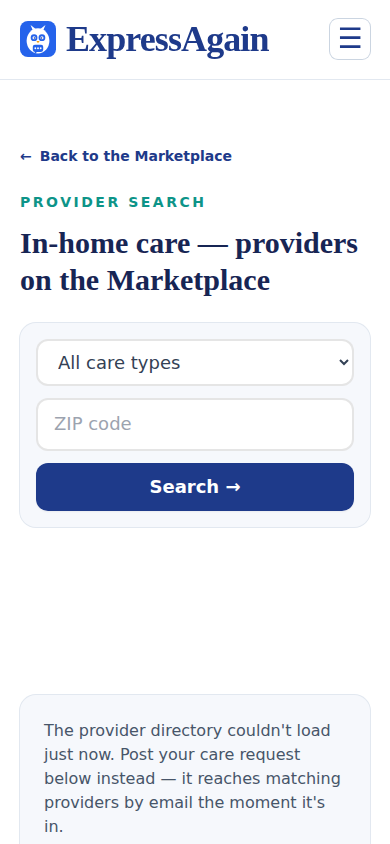
Screens at phone width, with sample names — no real person’s information.