
The organization panel

One view of every patient a practice follows, scoped by role; tapping a row opens that patient's whole dashboard.

1 min readUpdated For: organization, clinician

She monitors all of the patients from one view on the back end, and she can log into their accounts individually. The panel is that view. A provider sees My patients; staff see their assigned providers' patients; a practice admin the practice; an organization admin the whole organization with a Provider filter. A stat strip (patients, open alerts, unread feed, readings today, enrollments pending), then one row per patient: name, primary provider, last reading, open alerts and how old, unread feed, enrollment status. Tap a row and the whole care-team dashboard opens for that patient; Back to panel returns.

The panel has six doors: Panel, Feed and alerts, Patients, Team, Reports, Settings. Sign in at the IDC Team sign-in with your email and password; an active organization membership lands you on the panel.

What it looks like

Screens at phone width, with sample names — no real person’s information.
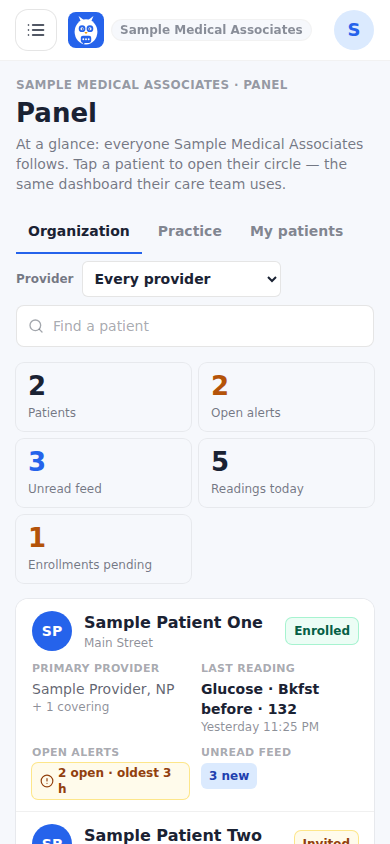
The organization panel: the stat strip and one row per patient.
Was this helpful, or is something out of date? Write to support@expressagain.com and a real person will fix it.

Still need help?

A real person reads every message. Family members are always welcome to write on a patient’s behalf.

Email

support@expressagain.com

We typically reply within one to two business days.

Contact page

Text and in-app

Reply HELP to any of our texts for assistance, STOP to unsubscribe.

Signed in? Send a request from the Help Center inbox and see its status there.

Help Center inbox

If this is an emergency or someone is in immediate danger, call 911 or your local emergency number. This Help Center is for using the app, not for medical advice.